Tutorial 7 of 9
Study cards with spaced repetition
Beginner 6 min
Turn notes or slides into flashcards, review them with typed answers or listening, and let FSRS plan each day — all in the Study view.
The Study view (the fourth button on the left, or key 4) turns your notes into flashcards and plans your reviews, so you see each card just before you would forget it. The quickest way in is the template Study cards: Spanish for travel under File → Templates….
Write your cards
Open Study → Cards. The big field holds your cards, one of these ways:
hola :: hello— one card per line: question, two colons, answer.hola ::: hello— three colons make the reverse card (hello → hola) as well.Q:on one line,A:on the next — for longer questions; a blank line ends the card.{{c1::Atocha}}inside a sentence — a cloze card that hides that word.{{c2::two and a half::how long?}}adds a second gap with a hint.# Greetings— a heading groups the cards below it.
The list on the right shows every card with its type, state and due date, and warns about lines that are not cards.
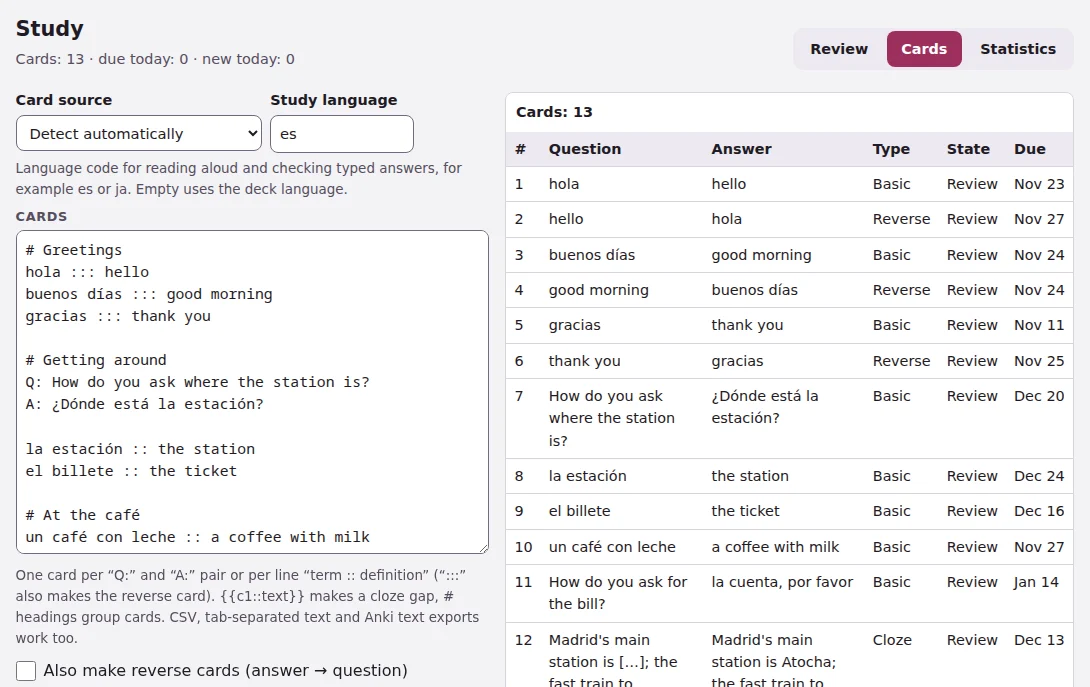
Already have cards elsewhere? Open a card file… reads CSV and tab-separated files and Anki’s Notes in Plain Text export. Make cards from the slides turns every slide of your deck into a card (title → question, slide text → answer); set Card source to The slides of this deck (live) if the cards should follow the slides as you edit them.
Study language is used for reading aloud and for checking typed answers. Leave it empty to use the deck language.
Review
Go to Study → Review. The tiles show how many cards are due today and how many new cards are waiting. Choose How you answer:
- Flip cards — think of the answer, press Show answer (or
Space), then rate yourself. - Type the answer — type it and press
Enter. Deckwright compares carefully: “Almost: a small typo” for one wrong letter, “Right letters, but the accents differ” for estacion instead of estación. Tick Accept answers without accents if you type on a keyboard without them. - Listen — the question is read aloud by your browser’s voice for the study language.
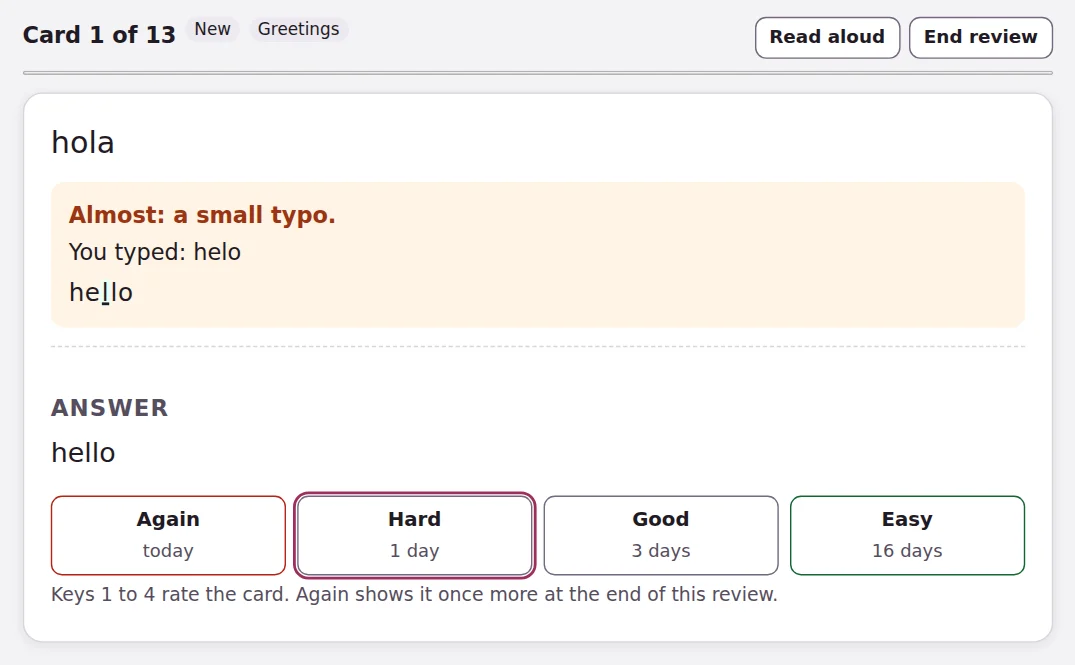
Then rate the card. Each button shows when you would see the card again: Again (today, it comes back at the end of this review), Hard, Good, Easy. Keys 1 to 4 do the same. Made a slip? Undo last answer.
How the plan works
Every answer goes into a review log inside your deck. Deckwright replays it with FSRS-5, a modern memory model: it estimates how stable each memory is and schedules the next review for the day your chance of remembering falls to your target (90 % by default). Easy cards move out quickly; cards you keep forgetting come back often.
Study → Statistics shows your cards by state (new, learning, young, mature), the reviews due over the next 30 days, a heatmap of your study days and your true retention.
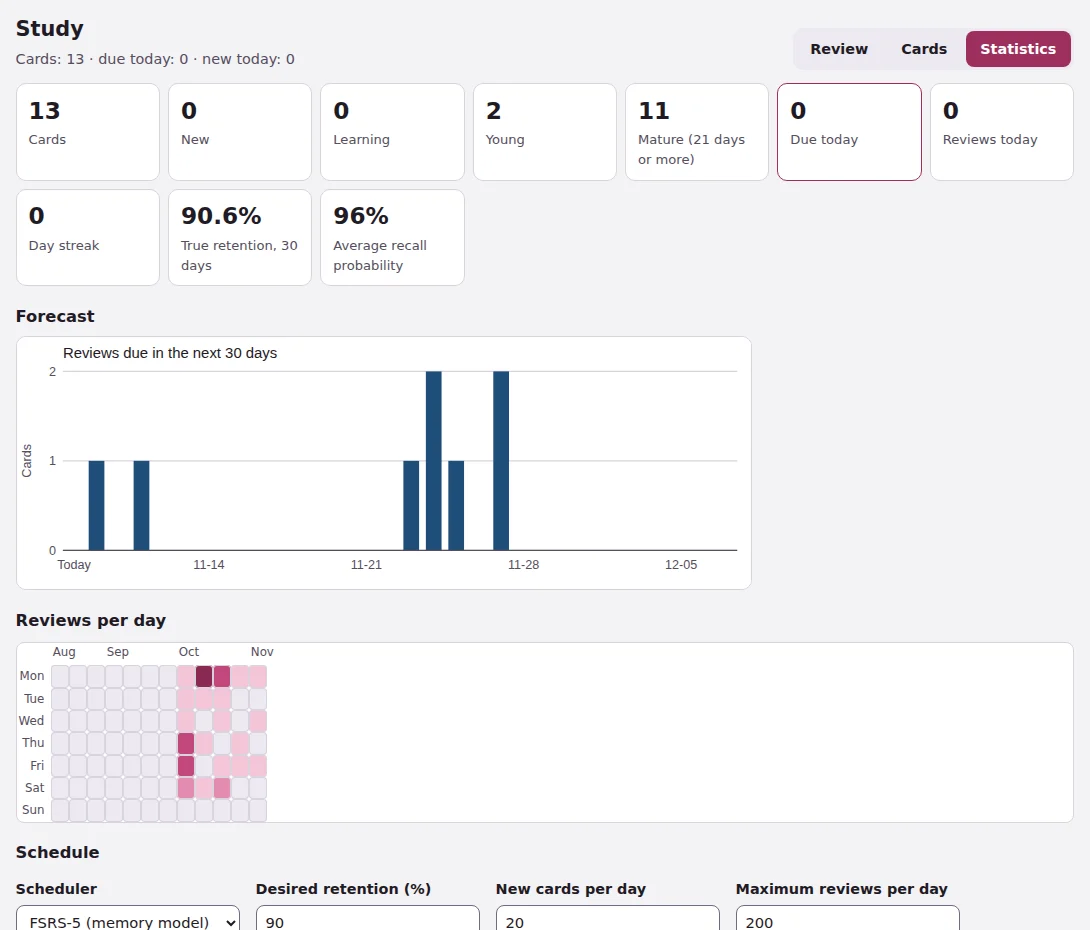
Under Schedule you can change the desired retention, the number of new cards per day and the review limit, or switch to the classic SM-2 algorithm.
Keep your progress
The cards and the log are saved with the deck in this browser, in project files and in Bundlekeep backups. Download review log (CSV) exports your history; Import review log… merges one back. Share links carry the cards but never your review history.
Ready to try it?