Tutorial 8 of 9
Print double-sided flashcards and revision decks
Intermediate 5 min
Print cards with the answer exactly behind each question, check the duplex alignment, and turn your cards back into a revision deck.
Paper cards are handy where screens are not. Deckwright prints your study cards so that each answer lands on the back of its question. You need cards in the Study view first (see Study cards with spaced repetition).
Open the print dialog
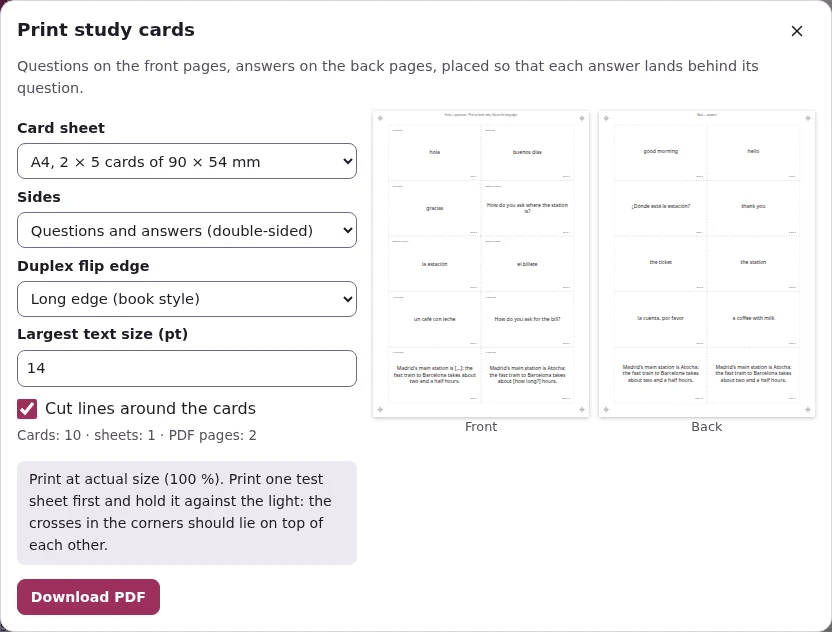
In Study → Cards press Print cards… (or use Export → Study cards as PDF…). The dialog shows the first front and back page as you change the settings:
- Card sheet — business-card size 90 × 54 mm (2 × 5 on A4) is the default; larger 99 × 68 mm cards suit long answers, and there are US Letter layouts too.
- Sides — Questions and answers (double-sided), Questions only, or Question and answer side by side for cards you fold in the middle.
- Duplex flip edge — how your printer turns the sheet: Long edge (usual for portrait pages) or Short edge.
- Largest text size — text starts at this size and shrinks to fit, down to 6 pt.
- Cut lines around the cards — thin dashed lines to cut along.
Reverse cards (from ::: lines) are printed only once — a paper card already has the answer on its back.
Print and check the alignment
Press Download PDF and print it on both sides at actual size (100 %), not “fit to page”.
On the back page the columns are mirrored (long edge) or the rows (short edge), so the answer to the top-left question sits top-right on the back. Every card carries its number on both sides, and each page has a small cross in every corner.
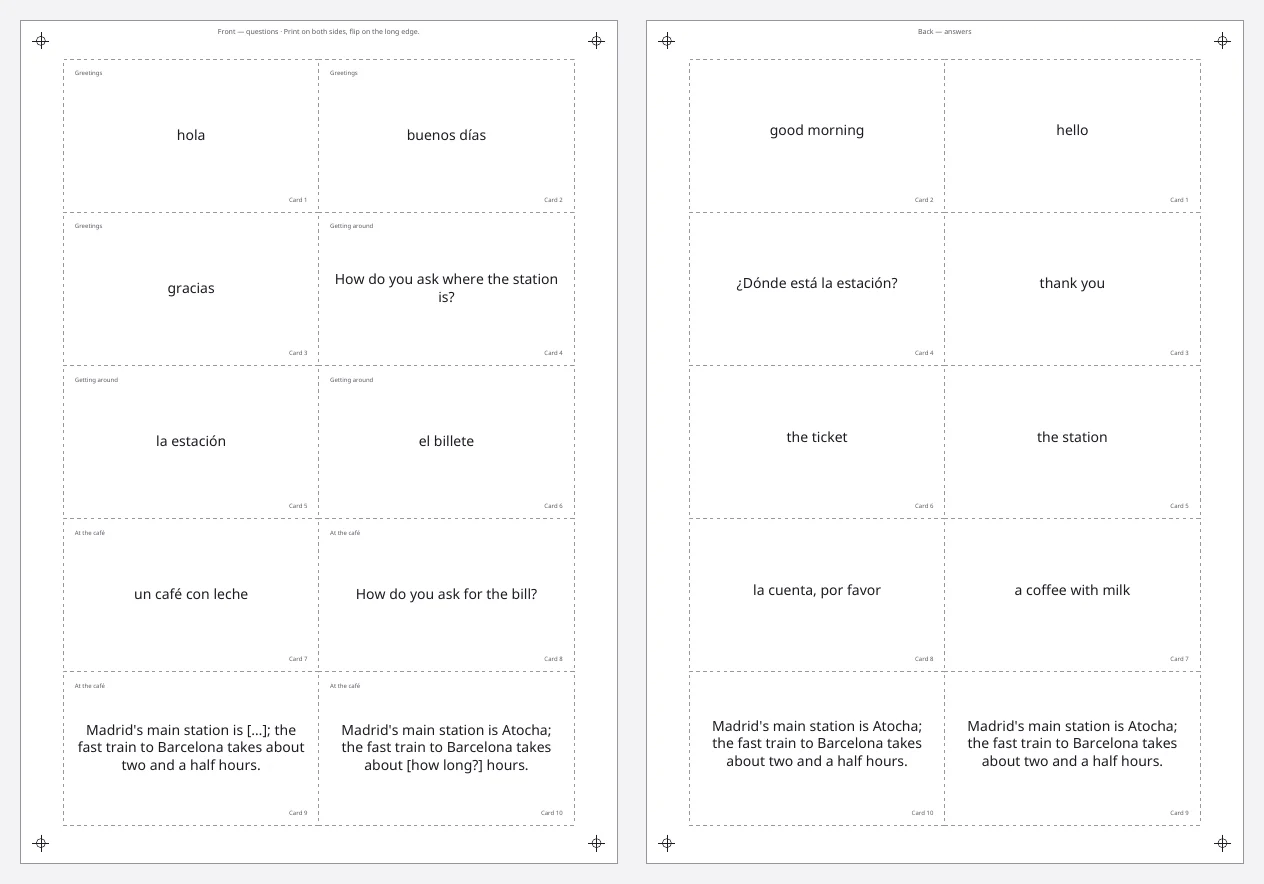
Print one test sheet on plain paper and hold it against a window: the corner crosses of the front and back should lie on top of each other. If the back is shifted by a millimetre or two, cut slightly inside the dashed lines. If the answers come out upside down, switch the flip edge.
Too much text?
When an answer does not fit even at 6 pt, the dialog lists the card numbers and the text is shortened with “…”. Choose the bigger 99 × 68 mm cards or split the card in two.
From cards back to slides
Make a revision deck (in Study → Cards) builds a new deck from your cards: a title slide, a section slide for each # heading and one slide per card with the question as the title and the answer below. Present it in class, export it as PDF handout, or keep studying — the new deck takes your cards and settings along, starting with a fresh review history. The original deck stays in File → Recent decks….
Ready to try it?